What Is Eleph TV?
Eleph TV, also written as ElephTV, is an Android streaming app made for audiences in Africa. One install gathers live channels, films, series, sport and kids programming, so a household does not need a separate app for each kind of evening.
The app is Android only. That focus is the whole point: the app is tuned for Android phones, tablets, Android TV sets, TV boxes and TV sticks, and it is not built for Apple devices at all. If your television runs Android TV or Google TV, or you have a TV box or stick, it is made for that screen.
New viewers start with a free VIP trial that lasts seven days. After the trial, plans are bought inside the app or redeemed with an activation code, so nobody has to commit before seeing whether the library fits their household.
What You Can Watch
Live television is the backbone of the app: more than 400 live channels sit beside an on demand library of more than 100,000 movies, series, kids shows and sport replays. A news bulletin, a Nollywood release, a series episode and a cartoon for the kids can all live on the same home row.
Sport gets its own place in the app, with live matches and replays for viewers who missed kickoff. Films range from Hollywood blockbusters to trending series and documentaries, and the kids section keeps cartoons and learning shows apart from the rest of the catalogue.
Live television
More than 400 live channels, including news, music, entertainment and sport, with catch up and replay where a channel offers it.
Movies and series
More than 100,000 titles on demand, from Hollywood films to African movies, trending series and documentaries.
Live sport
Live matches and sport replays in one section, so a missed game can still be watched after the final whistle.
Kids shows
Cartoons and learning shows in their own corner of the app, away from late night films and live sport.
Devices That Work
It works on Android smartphones and tablets, Android TV and Google TV sets, Android TV boxes and Android TV sticks. A Windows PC or laptop can run it too, through an Android emulator such as BlueStacks or LDPlayer, by installing the file inside the emulator.
It does not work on iPhone or iPad, on Apple TV, on Samsung televisions running Tizen, on LG televisions running webOS, or on Roku devices. If your smart television has the Google Play Store built in, it is very likely compatible, because that means it runs Android TV or Google TV under the skin.
How to Install Eleph TV
Start on the download page of this site and read the file status stated there before anything else. This site does not link a file yet, so the download page says so plainly instead of showing a button that leads nowhere.
When a file is linked, the install itself follows the usual Android sideload path. Open the file from the notification or from the downloads folder. Android will ask permission to install from the app that is opening the file. Allow it for that app only, then confirm the install and wait for it to finish.
After installation, open the app from the app drawer and register from the Profile screen with an email address or a phone number, then enter the verification code you receive. Pick one short title first and test playback, quality and subtitles before settling in for a full session.
- 1Check the download page first.
Read the file status on the download page of this site. No file is linked there yet.
- 2Open the file once it is linked.
Use the notification or the downloads folder, and allow installation from that app only when Android asks.
- 3Register and test one title.
Register from Profile, then play one short title to check playback, quality and subtitles.
Eleph TV Screenshots
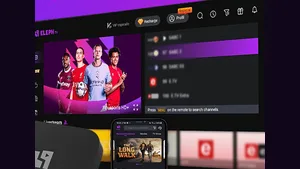
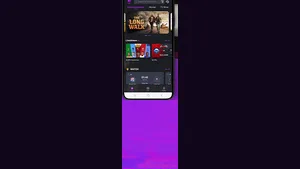
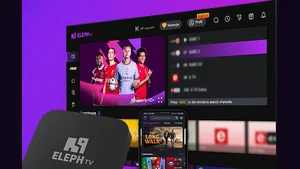
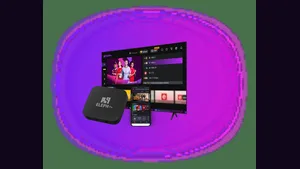
Screenshots from the official artwork, showing the television app, the phone app and the TV box. Scroll right to see the next screenshot.